Mentra Recording / M1 Recorder
Built to be worn all day, not switched on when convenient.
The M1 Recorder captures the conversation clearly, then sends it to Mentra when you're ready.
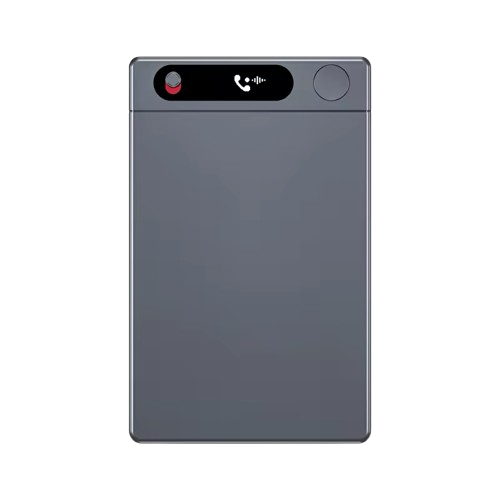
The front face
Three things on it, and nothing else.
A device people are recorded by should be obvious about it and simple to operate. Everything that isn't essential was left off.
Recording light
A single red indicator, visible to everyone in the room. Nothing about this device is designed to be discreet - the people you record should be able to see that it's on.
Capture window
Three microphones behind one sealed panel, arranged to separate a voice from the room around it. Cleaner audio in means a transcript worth reading back.
One button
Press to start, press to stop. There is no menu, no mode to pick, and nothing to configure before a conversation starts.
Specifications
Small enough to forget. Built to keep going.
Living with it
Charge it on Sunday, stop thinking about it.
Press the button and it records, whether or not your phone is nearby. When you're back together, the app pulls the audio across over WiFi and you decide what to transcribe.
In the box
Everything to start
- M1 Recorder unit
- Magnetic USB-C cable
- Leather case
- Phone magnetic mount
- User manual
Day to day
Almost no admin
- Import over WiFi from the Notes tab
- Clear imported files off the recorder automatically
- See battery, storage and firmware in Settings
Why it matters
Audio quality is the whole product
A muffled recording becomes a patchy transcript, and a patchy transcript becomes a deal history with holes in it. The hardware exists so the analysis downstream has something solid to read.
See what it feeds